Advanced Sample Checker
What does it do?:
See here: Youtube Demo
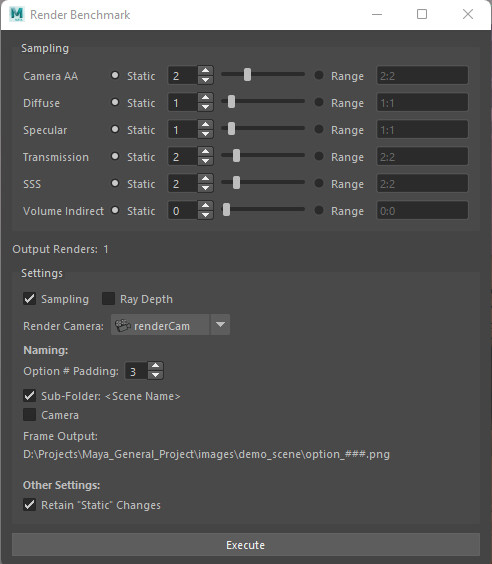
This set of two tools, automates the task of rendering a range of test renders for use in determining appropriate settings for use in the final job.
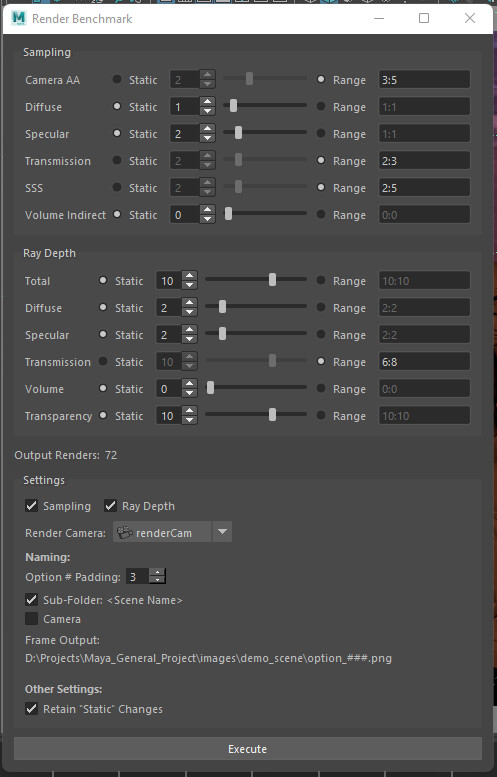
For example: You want to see a range of options for your render including:
- Camera AA, between 1 and 5
- SSS, between 2 and 7
- Transparency, between 2 and 4
- Transparency ray depth, between 10 and 14
Simply input those ranges into the Sample Renderer tool and hit "Execute". It will then begin rendering every combination of the given samples.
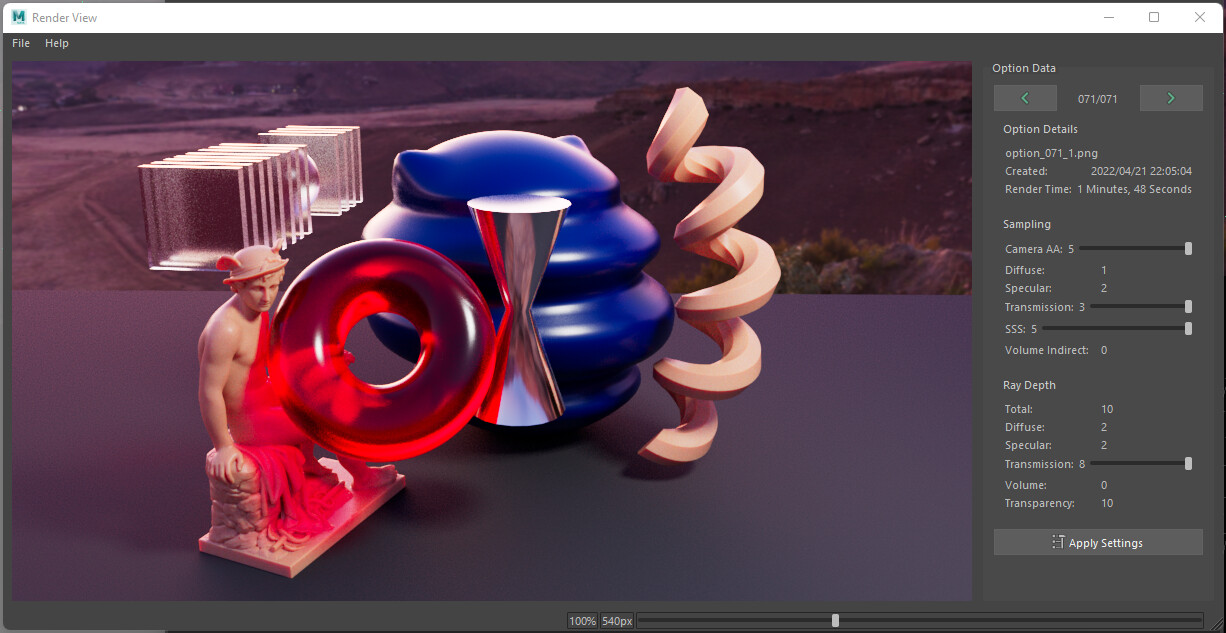
Once complete, you can run the Sample Viewer to compare the results in real-time. With your image displayed on the left, you use intuitive sliders on the right to choose between the ranges of settings chosen. The image corresponding to those settings will be displayed as you change them as if rendered in real-time.
Once you are happy with the quality of the displayed image, and with the recorded render time for that frame displayed above the settings, you can then click "Apply Settings" at the bottom of the window to have these render settings applied to your scene.
This tool is for use in Maya with Arnold MtoA and is compatible with both Python 2 and Python 3.
Installation Instructions:
Launch Maya
Inside of Maya, load in the shelf "shelf_render_benchmark.mel".
- Go to your shelf options by clicking the "cog" icon on the left side of your shelf area.
- Select "Load Shelf"
- Navigate to and select the shelf "shelf_render_benchmark.mel". Maya will automatically copy it to the shelf directory and use that copy going forward so you do not need to place it anywhere specific.